Edit the Price Import settings
Price Import settings
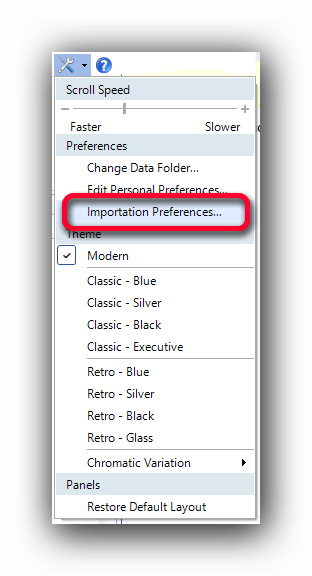
The Importation Preferences of each user can be set with this menu Item in the "Tools" menu.
This will allow to import prices from an external file in the Estimating Item database in .
In the Importation Preferences interface, the fields to be set are:
The file location and the file name with the "..." button.
The position of the Code in the file (In our example, "1" for the first column : 102;Asphalt by Metric ton; 160.00 $ )
The position of the Price to be imported (In our example "3" for the third column : 102;Asphalt by Metric ton; 160.00 $ )
The field or column separator (In our example ";" : 102;Asphalt by Metric ton; 160.00 $ )
Note : Each source file can be different. The column positions and field separators can differ from this example.
READ THE COMPLETE EXAMPLE HERE
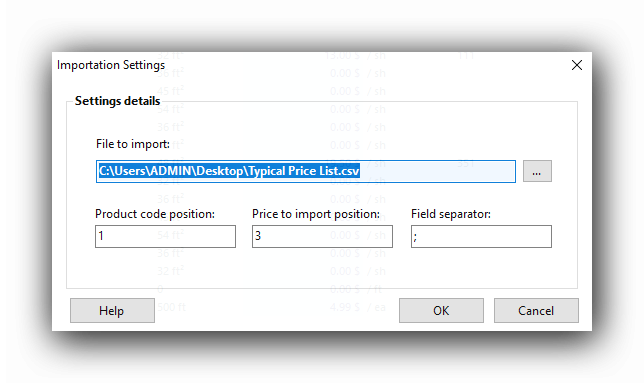
Once the settings are entered, a click on the "OK" button will save them. These settings can be modified at will afterwards.
See also: